

- Üyelik Tarihi
- 12 Kas 2020
- Konular
- 2,768
- Mesajlar
- 3,160
- Çözümler
- 1
- Beğeniler
- 528
- Puanlar
- 278
- Yaş
- 40
- Web Sitesi
- gsmmob.com.tr

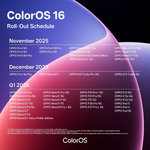
The following packages will rollback your device to OxygenOS 15, and will wipe all your data. Neither we nor OnePlus will be responsible if you get excited and lose your data because you didn't read the warnings.
- OnePlus 10 Pro: NE2211 (IN) • NE2213EEA (EU) • NE2213 (GLO)
- OnePlus 11: CPH2447 (IN) • CPH2449EEA (EU) • CPH2449 (GLO) • CPH2451 (NA)
- OnePlus 11R: CPH2487 (IN)
- OnePlus 12: CPH2573 (IN) • CPH2581EEA (EU) • CPH2581 (GLO) • CPH2583 (NA)
- OnePlus 12R: CPH2585 (IN) • CPH2609EEA (EU) • CPH2609 (GLO) • CPH2611 (NA)
- OnePlus 13: CPH2649 (IN) • CPH2653EEA (EU) • CPH2653 (GLO) • CPH2655 (NA)
- OnePlus 13R: CPH2691 (IN) • CPH2645EEA (EU) • CPH2645 (GLO) • CPH2647 (NA)
- OnePlus 13s: CPH2723 (IN)
- OnePlus Nord 3: CPH2491 (IN)
- OnePlus Nord 4: CPH2661 (IN) • CPH2663EEA (EU) • CPH2663 (GLO)
- OnePlus Nord 5: CPH2707 (IN) • CPH2709EEA (EU) • CPH2709 (GLO)
- OnePlus Nord CE4: CPH2613 (IN)
- OnePlus Nord CE5: CPH2717 (IN) • CPH2719EEA (EU) • CPH2719 (GLO)
- OnePlus Open: CPH2551 (IN) • CPH2551EEA (EU) • CPH2551 (NA)
- OnePlus Pad: OPD2203 (IN)
- OnePlus Pad Lite: OPD2480 (IN) • OPD2481 (IN)
- OnePlus Pad 2: OPD2403 (IN) • OPD2403EEA (EU) • OPD2403 (GLO)
- OnePlus Pad 3: OPD2415 (IN) • OPD2415EEA (EU) • OPD2415 (GLO)
App download service